


Messages: SMS Texting
4.018.00 Reviews
App Specs
- Version
- 2.0.0
- Updated On
- License
- Free
- Downloads
- 100,000+
- Developer
- unseenapps
- Categories
- Communication
- Platform
- Android
Screenshots
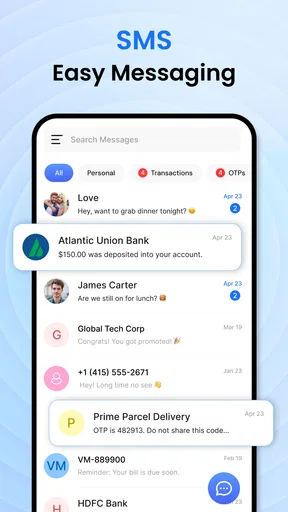
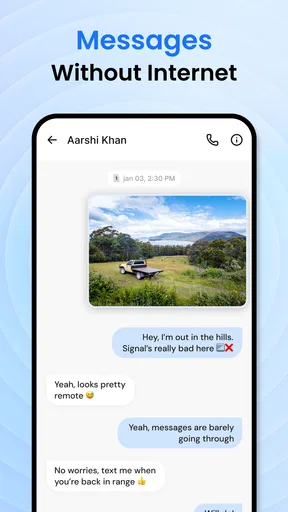
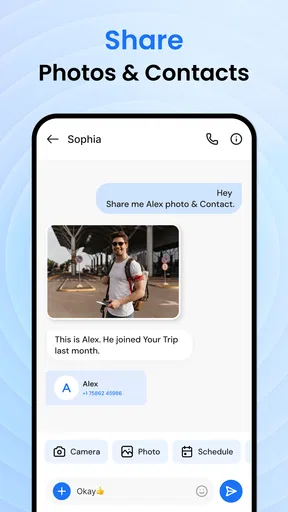
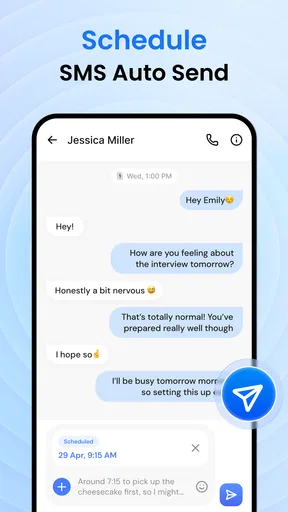
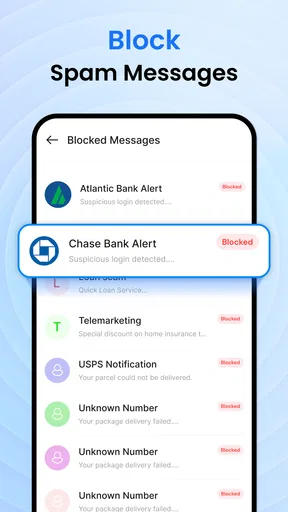
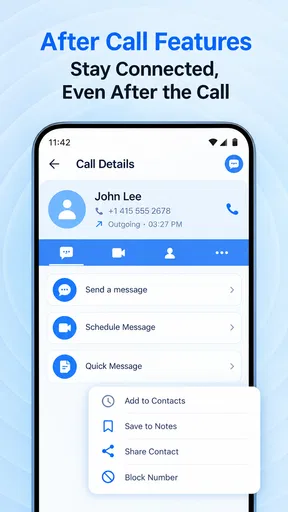
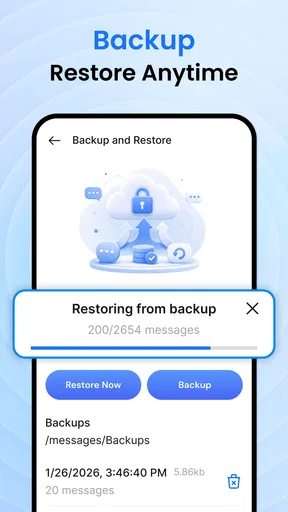
 Analysis by AppCompare
When I need to send a quick text, I don’t want to stop and learn a complicated messaging system. That’s the appeal of Messages: SMS Texting: it is a communication app built around straightforward SMS conversations with people already in my contacts. It keeps the job familiar—choose someone, write a message, and continue the conversation—rather than asking me to move everyone to a separate service.
That simplicity is useful in ordinary situations: confirming when to meet, checking that someone got home, or sending a brief update to a person who prefers texting. My overall impression is that this is best considered a focused option for basic messaging, not a replacement for every kind of chat. Whether that trade-off suits you depends on how much you expect from your everyday inbox.
From opening a conversation to sending a text
I find it helpful to treat a text as one step in a conversation, not always the whole conversation. Before sending, I decide what the recipient needs to know and whether a quick SMS is enough; if the reply is likely to raise several questions, I leave room to continue by phone or through a shared messenger. That small choice makes the exchange easier to follow, and it leads naturally to the practical details of composing and sending.
A familiar starting point
The app’s role is clear from the outset: it handles SMS messaging with your contacts. That narrow focus can be a relief if you find feature-heavy chat apps distracting. For a simple exchange, the useful question is not whether the app can do everything, but whether it gets you to the right conversation without unnecessary steps.
In a realistic example, imagine I’m leaving work and need to tell a friend that I’ll be late. I want to find that person, type a short update, and return to what I was doing. A basic SMS app fits this kind of task because the message itself is the point; I don’t need a group workspace, social feed, or a new account-centered community just to share one detail.
The app is free, and its content rating is Everyone, which makes it approachable for a broad range of users. It was developed by unseenapps, and the current version is 2.0.0. The app was released on September 14, 2026. Those details help identify the product, but the practical decision is simpler: if you want a dedicated place for ordinary texts, its purpose is easy to understand.
Keeping the message useful
For short, practical messages, I recommend writing the key point first. “I’ll be there in ten minutes” is easier to act on than a long preamble, especially when someone is glancing at a notification. This is not a special app feature; it is a good workflow for any SMS conversation, and it suits a tool whose main job is keeping communication direct.
Worth Reading Before You Choose

Flipboard Shows What News Apps Must Do Beyond the Feed

Switching to Android Auto Means Rethinking Your Driving Routine

Google Calendar Makes a Crowded Week Easier to Manage

Ludo King Makes the Most of the Minutes Between Plans

Baby Panda World Brings Quick Play to Modern Phones, but Its Game Library Feels Busy

ESPN’s Live Game View Makes Following Close Games Easier
A second useful habit is to make the recipient clear before sending, particularly when contacts have similar names. In a quick exchange, choosing the wrong conversation is more consequential than having fewer decorative options. I would pause for a moment to check the contact and the message together before tapping send, especially when sharing plans or a change of address.
SMS is also a sensible fallback when the other person is not using the same chat platform as you. Instead of asking someone to install an app or create an account, you can use the familiar text-message route. That cross-service convenience is one reason a focused SMS app can still make sense alongside internet-based messengers.
Choosing the right channel before you type
One practical decision happens before the message is written: whether SMS is the right route for this particular person and subject. I would use it for a simple confirmation or a brief change of plans, but not assume it is the best place for every conversation. If a message needs back-and-forth explanation, a call or a messenger both people already use can save time and reduce the chance of misunderstanding.
This also helps when deciding whether to make a focused SMS app your default. Think about the last few conversations you actually needed to have, rather than judging by a hypothetical feature checklist. If most were short notes to individual contacts, the direct approach may fit. If your everyday communication is built around group discussions or shared media, changing the app alone will not change the limits of SMS as a channel.
Handing the conversation off
Texts rarely exist in isolation. A message may lead to a phone call, an in-person meeting, or a longer conversation elsewhere. I find it helpful to use SMS for the small coordination step—“I’m outside,” for example—then move to a call if the details become too complicated to resolve in short messages. That keeps the text thread from becoming a confusing substitute for a real-time discussion.
There is also a practical boundary between texting and richer messaging services. People often use other apps for group chats, media-heavy conversations, or internet-based communication. If your daily routine depends on those capabilities, a simple SMS-focused tool may not be enough on its own. It can still be useful as a straightforward channel, but I would not choose it as my only communication option without first considering how the people around me actually keep in touch.
For a household or small group coordinating a simple plan, SMS can reduce friction because participants do not all need to settle on the same messaging platform. The trade-off is that the conversation stays in the SMS lane. If the group’s needs grow beyond brief updates, the convenience of a shared internet messenger may outweigh the appeal of keeping everything basic.
What the exchange gets right
The clearest strength is focus. When I want a direct text exchange, a communication app centered on SMS avoids the feeling that I have opened a larger social product just to send one sentence. That can make it a reasonable fit for people who prefer familiar, low-effort conversations and for anyone who wants a simple texting option rather than another platform to manage.
It has an average rating of 4.0 from about 185 ratings, along with a little under twenty written reviews and more than 100,000 installs. Those figures suggest that people have tried it, but they do not tell me whether it matches your particular routine. I would treat them as context, not as a substitute for deciding whether a basic SMS workflow is what you need.
My practical recommendation is to judge it by the conversations you actually have. If most of your messages are short notes to people in your contacts, a focused app may be all you need. If you regularly coordinate in large groups, exchange lots of media, or depend on features tied to a particular messaging network, compare those needs against the tools you already use before switching your habits.
Where the simple workflow can break
A basic SMS approach has limits precisely because it is basic. Texting is not the same as having every participant on a feature-rich messaging service, and the experience may feel restrictive if you expect richer group communication or a broader set of chat tools. I would not recommend choosing this app as a one-stop solution for a team, a busy family group, or a community that relies on more than direct SMS exchanges.
There is a human friction point, too: the app can only be useful if the contacts you need are available to message and are comfortable communicating by text. If a friend rarely checks SMS, a different channel will get a quicker response. Before making this your default, think about the people you message most often, not just the interface you prefer.
Another point to keep in mind is that a concise texting workflow still depends on your own care. A rushed message can be unclear, and a rushed recipient choice can send it to the wrong person. I suggest rereading any text that changes plans or carries important details. The simplicity of the task is a benefit, but it does not remove the need to check what you are sending.
The app is listed for devices running Android 10 or later. If your phone meets that requirement, it is a candidate to try; if it does not, the version requirement is a straightforward reason to look elsewhere. I would also keep another way to reach someone available for urgent matters rather than assuming an SMS exchange will always be the best channel.
Making a fair comparison with alternatives
Compared with a full-featured internet messenger, the appeal here is not a larger toolbox; it is the familiar SMS route. A messenger can be the better choice when everyone you talk to already uses it and your exchanges depend on group tools or frequent media. Conversely, asking a casual contact to join a new service can be more hassle than sending a text. I would choose based on who needs to receive the message, not on which app has the longest feature list.
Your phone’s existing messaging option is another sensible point of comparison. If it already handles your usual texts comfortably, there may be little reason to move. If you specifically want a separate, focused SMS app, unseenapps’ offering is easy to consider because its purpose is narrow and its price is free. The useful question is whether that separation makes your daily routine clearer, rather than whether a new icon alone will improve it.
Who I would choose it for
I would consider this app if I wanted a free, uncomplicated way to handle everyday SMS and valued a direct path to conversations with my contacts. It makes the most sense for quick coordination, short personal updates, and users who do not want their texting routine built around a large social platform. The simple purpose is its strongest argument, not a promise that it covers every communication need.
I would skip it as my main messaging choice if my conversations depend on rich group features, frequent media sharing, or a service that all my friends already use. In those cases, the usual alternative—a full-featured internet messenger—may be more convenient, while a phone’s existing messaging option may be sufficient for someone who only sends occasional texts and has no reason to change.
In the end, I see Messages: SMS Texting as a straightforward choice for people who want SMS to remain just that: a way to send clear, everyday texts. Its free price, Everyone rating, and focused purpose make it easy to consider, while its limitations make the decision equally easy for users who need more. If your typical exchange is a quick message to someone in your contacts, it is worth trying; if your conversations rely on a broader chat ecosystem, I would keep using the service that already handles those handoffs well.
Pros
- Supports SMS and MMS messaging
- including photo and video sharing.
- Lets you organize conversations for easier access.
- Offers notification options to help you keep up with new messages.
- Includes search to help find conversations and message details.
- Provides a familiar texting experience for everyday communication.
Cons
- SMS and MMS charges may apply depending on your mobile plan.
- Features and availability can vary by device
- carrier
- and region.
- Requires a phone number and mobile service for standard texting.
- MMS attachments may be limited by carrier size restrictions.
- Some advanced messaging features may require a compatible device or network.
FAQs for Messages: SMS Texting
What is Messages: SMS Texting, and what can I use it for?
Messages: SMS Texting is a messaging app intended for sending and receiving standard text messages and, depending on your device and mobile carrier, picture or group messages. It can serve as your everyday SMS inbox, where you read conversations, reply to contacts, and manage message threads. Available features may vary by app version, phone, and carrier, so check the listing and permissions before installing.
Does Messages: SMS Texting require an internet connection?
Standard SMS messages are generally sent through your mobile carrier and do not require Wi-Fi or mobile data, although carrier charges or plan limits may apply. Picture messages and other multimedia features can use mobile data and may require the relevant settings to be enabled. The app’s exact capabilities depend on your phone and carrier, so confirm your plan details if you expect to message without additional charges.
Can I use Messages: SMS Texting on Android and iPhone?
Compatibility depends on the specific app listing: an app with this name may be offered for one platform, while a similarly named app may be available on another. Before downloading, check that the store page matches your device, operating system version, and region. Also verify the developer name and recent update information, since names alone do not establish that two listings are the same app.
Is Messages: SMS Texting safe, and what permissions might it need?
A messaging app may request access to SMS, contacts, notifications, or phone features so it can display conversations and send messages. Review the requested permissions and the developer’s privacy information on the official app-store listing before granting access. Avoid installing copies from unfamiliar websites, and remember that ordinary SMS is not necessarily end-to-end encrypted; do not assume sensitive messages are protected unless the app clearly explains its security features.
Can I make Messages: SMS Texting my default messaging app, and will it keep my old texts?
On supported Android devices, you may be able to choose the app as the default SMS handler in system settings; the available steps depend on your Android version and the app’s permissions. Existing conversations may appear when the app is granted access to SMS storage, but behavior can differ between devices. Back up important messages before changing apps or moving phones, and check the app listing for backup or restore support.


